

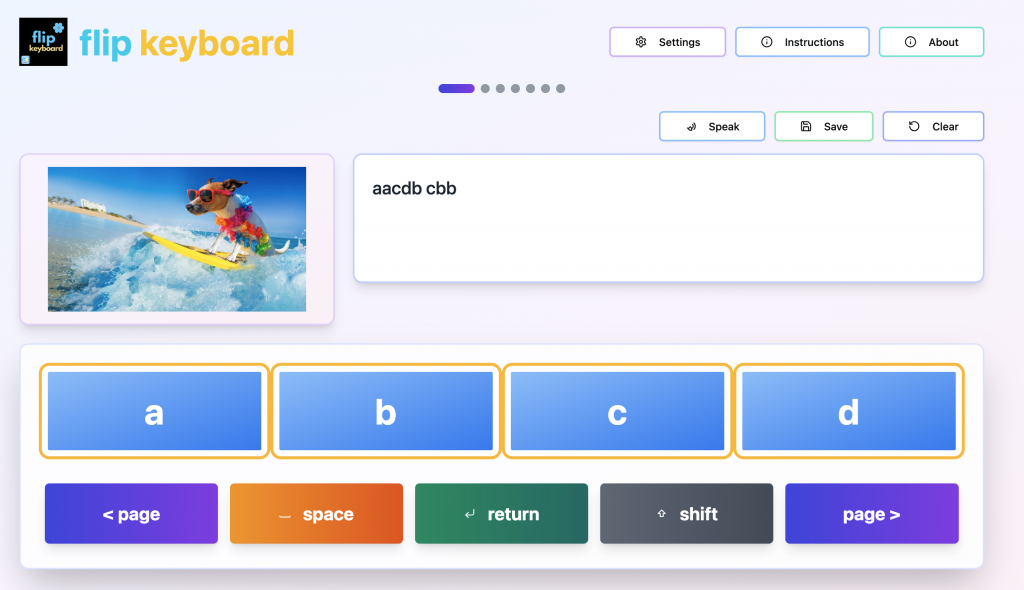
Flip Keyboard is an emergent writing tool. It can be used on any device with an internet connection and a browser. On an iPad you can also convert it into an app by sharing it to the Home Screen of your device (see the Instructions in Flip Keyboard for more information).
In the most recent update of Flip Keyboard, some Accessibility features have been added to increase the options within the app. The app remains compatible with WCAG Level AA requirements, but these additional settings provide some extra in-app options if you prefer not to use the access methods in your operating system.
Before I go into more detail, you’ll need to make sure that you have the most recent version of the app to use all the features. In a browser, simply refresh your browser window. On an iPad, quit the app and then open it again from the icon. Once you’ve done this, you can check if you have the most recent version by pressing on the About button. At the very top, it should say Version 3.0.
Key Repeat Delay
One of the new accessibility features in the app is a key repeat delay. This is designed for someone who is accidentally pressing a key more than once. It creates a delay before that key can be pressed again.
Switch Access
The latest version of the app includes both single switch scanning and two switch scanning. The single switch scanning can be setup as linear (scanning one cell at a time) or as row-column (scanning row-by-row and then within the row). Additionally, two switch scanning is now also compatible with row-column, and continues to be compatible with linear scanning as it was before. Auditory scanning continues to be an option, and the user can now access the keyboard controls via scanning as well if needed.
The video below goes through the switch scanning options in Flip Keyboard.
Enjoy writing – and make sure you’ve updated to the latest version!

Lou Anne