

Flip Keyboard Updates

In November 2025 I was very excited to share a new emergent writing tool – https://flipkeyboard.com/. It has been great to hear from those of you who are using it – and to get lots of requests for changes and additions.
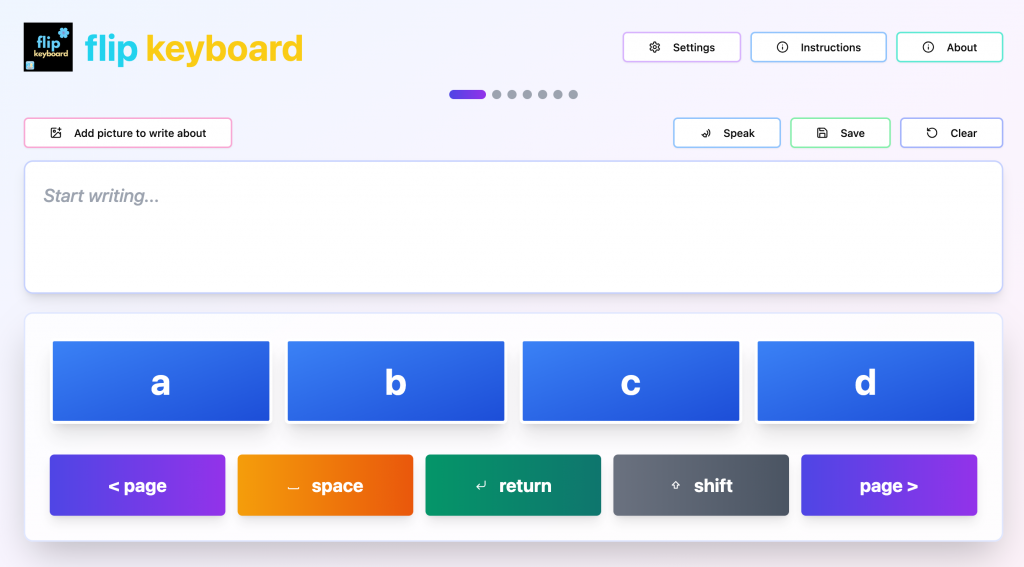
As a result, there are now a number of changes to the original version. I am very aware that the students we work with are diverse and I’m very happy to add new features that support students with their emergent writing – so please keep sending ideas through!

The additional settings are:

  • A setting to speak letter names as they are selected;
  • A Speak button to read the text in the Writing Window aloud;
  • A return key to move to the next line in the Writing Window;
  • Options to turn the Speak and Return keys on and off in Settings
  • A delete key can be added to the bottom row in Settings. This is off by default.
  • The number of letters per keyboard screen can now be increased to 10.
  • A form of visual or visual plus auditory two switch scanning (using tab and enter) is available. This only scans the keyboard buttons. For complete scanning access to the app, please use the scanning in the accessibility features of your operating system.

And for those who have asked, the app is compatible with Web Content Accessibility Guidelines 2.2.

Happy emergent writing!!
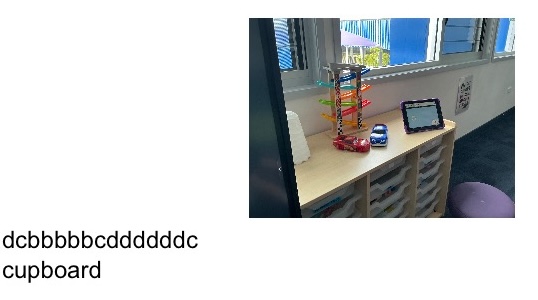
A piece of emergent writing in Flip Writer from a student at Coomera State Special School

Spread the word. Share this post!

Comments (5)

  1. Ruth Ziolkowski

    Reply

    I love the focus on access to letters so we can truly help students say what is in their mind! As an OT, I am curious about the motor planning and building motor memory. especially for AAC users. Long term we want access to all letters and we want to establish motor memory for letters for efficiency later. Why start with just a few letters in locations that will not be the long term location? Is there research that supports this approach. How is this approach research based vs giving access to all letters in locations that are fixed for learning motor memory and allowing experiences “scribbling” by giving access to all letters. Thanks for helping me learn this approach.

    • Reply

      HI Ruth, Flip Keyboard is really just an electronic flip chart. The flip charts were developed by the Centre for Literacy and Disability Studies and OT Gretchen Hanser. They talk about how they tried different layouts and it made little or no difference to writing development – it was having access to the alphabet in a physically simple access method that was important. I think it also works because it is visually less overwhelming too.

      I guess we would do a version where the alphabet is chunked in QWERTY order – but having used these with 1000s of students over the last 20 years, I haven’t yet met a student where the transition to QWERTY has been that difficult (as long as they have the other requirements for accessing QWERTY such as motor skills and vision, etc). However, I have a met a lot of students who struggle with the full QWERTY layout in the beginning – and for a range of reasons. For some of them the QWERTY keyboard has become so associated with YouTube, that as soon as you provide it, they type their familiar strings and it is really difficult to get them to use it for other reasons. For some QWERTY is just visually overwhelming. For some the typical QWERTY keyboard seems to overwhelm their sensory system – particularly the QWERTY keyboards that move and click.

      I hope that helps some. You can see the Centre for Literacy and Disability Studies page on alternative pencils at https://www.med.unc.edu/healthsciences/clds/resources/alternative-pencils/

      Cheers

      Jane

  2. Sanchia

    Reply

    Is there a setting that can display the letters in groups, so that it becomes a 2-hit keyboard?

Leave a Reply to Jane Cancel reply

Your email address will not be published. Required fields are marked *